
 XORELI
Plan steel coils, big bags and mixed cargo – before you answer the charterer.
A planning aid for bulk carriers with 3 to 9 holds: spread the cargo over the holds, check the charterer's plan, find the maximum intake and see it in 3D. Built by a serving master, works without internet.
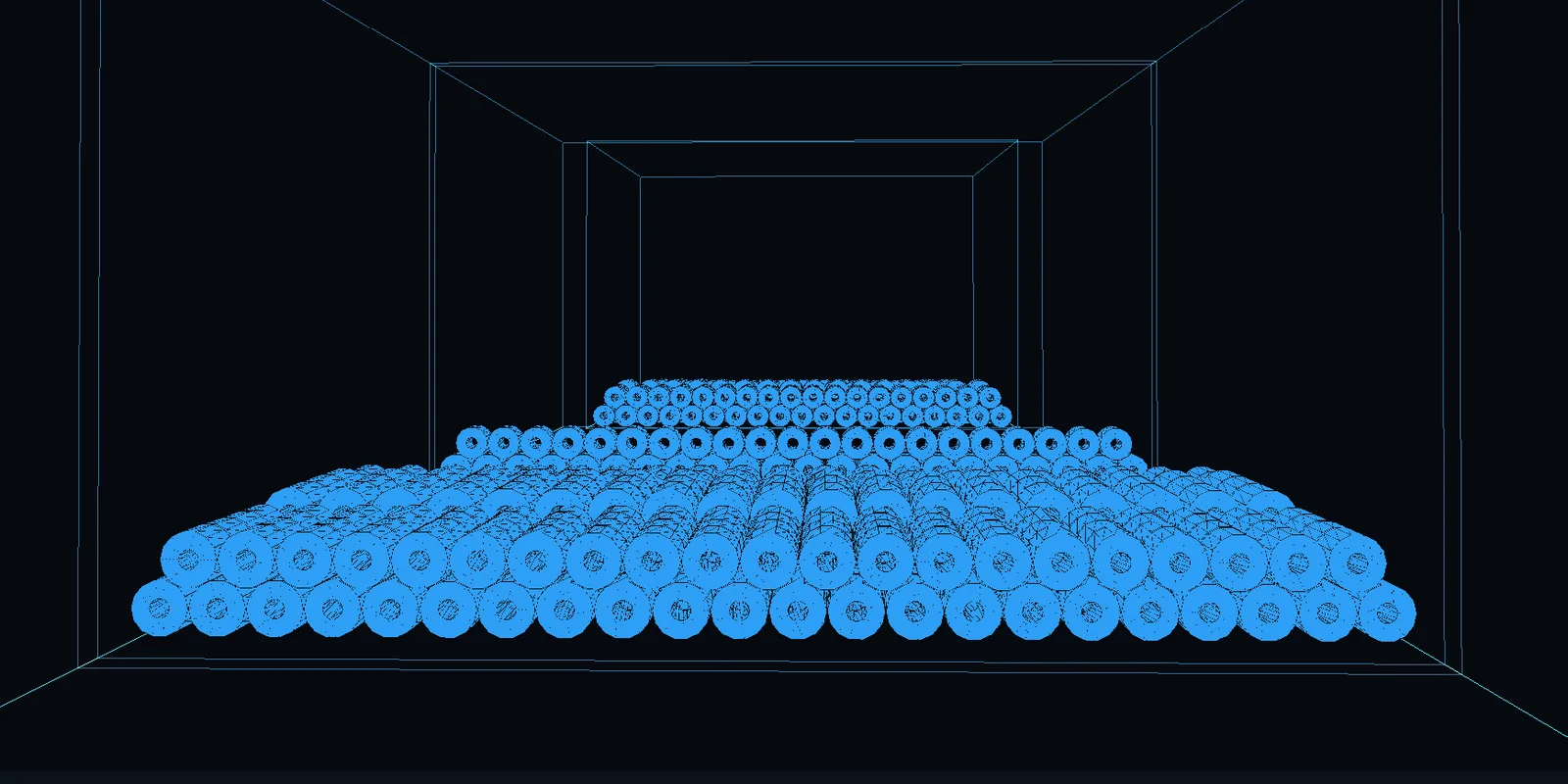
From the cargo list to a plan you can check.
Seven jobs on one start screen, with the calculations and reports behind them.
Steel coil plan
Enter the coil lots – number, weight, diameter, load and discharge port – and the program spreads them over the holds. You choose the aim: balanced, lowest stress, target trim or fewest holds. It gives several options.
Check the charterer's plan
Import the charterer's plan from Excel, CSV or PDF, or type it. Does it fit, and are drafts, trim, GM, GZ and shear forces / bending moments within limits in every port?
Move cargo by hand
Move any number of coils to another hold and see the values before and after at once.
Maximum intake
“How much can you take?” – the most cargo that fits and passes every check, and what limits it: space, draft, stress, tank top or stability.
Big bags
Fills each hold tier by tier following the real hold shape – hopper, topside, stools, hatch coaming. Bags per hold, load on the bottom bag and trim.
Mixed cargo
Plates, billets, H-beams, pipes, wire rod, coils, plywood, big bags and cases in layers in the same hold. Last port at the bottom; checks the load on top and the discharge order.
Calculations
Drafts, trim, GM, GZ curve against the IMO criteria, shear forces and bending moments, tank top and hold mass limits, ballast suggestion.
3D view and reports
3D view of every hold, PDF and Excel reports with signature lines and the “planning aid” notice.
Ship set-up assistant
Reads the data from the ship's documents and asks for what it cannot read. Every section is approved by a responsible officer. The program compares itself with the sample conditions of the Loading Manual and keeps a safety margin where they differ.
Check the plan before you sign it.
Import the charterer's hold-by-hold plan and press Check. StowMaster Assistant shows what fits, the drafts, trim, stability and stresses in every port – and tells you where the tank top or hold mass limit allows fewer tiers than planned.
- Excel, CSV or PDF import, or type it
- Manifest against stowed, lot by lot
- Auto-stow, move coils, maximum intake
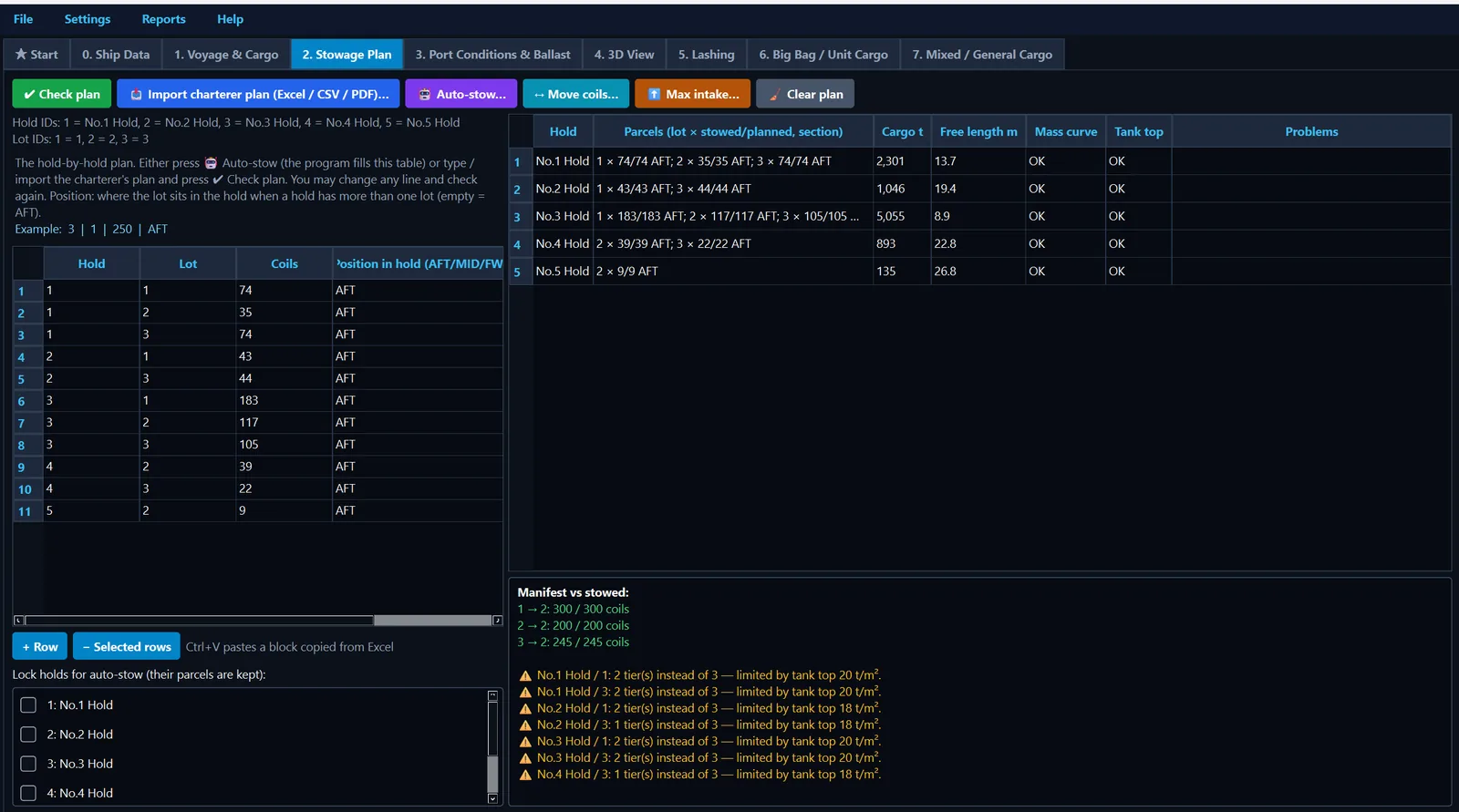
See every hold before the first coil is loaded.
The whole ship or one hold, cargo on board after each port, colours by lot. Save the picture for the charterer or the office.
- Coils, big bags and mixed cargo
- Cargo on board at each departure
- PDF and Excel reports with signature lines
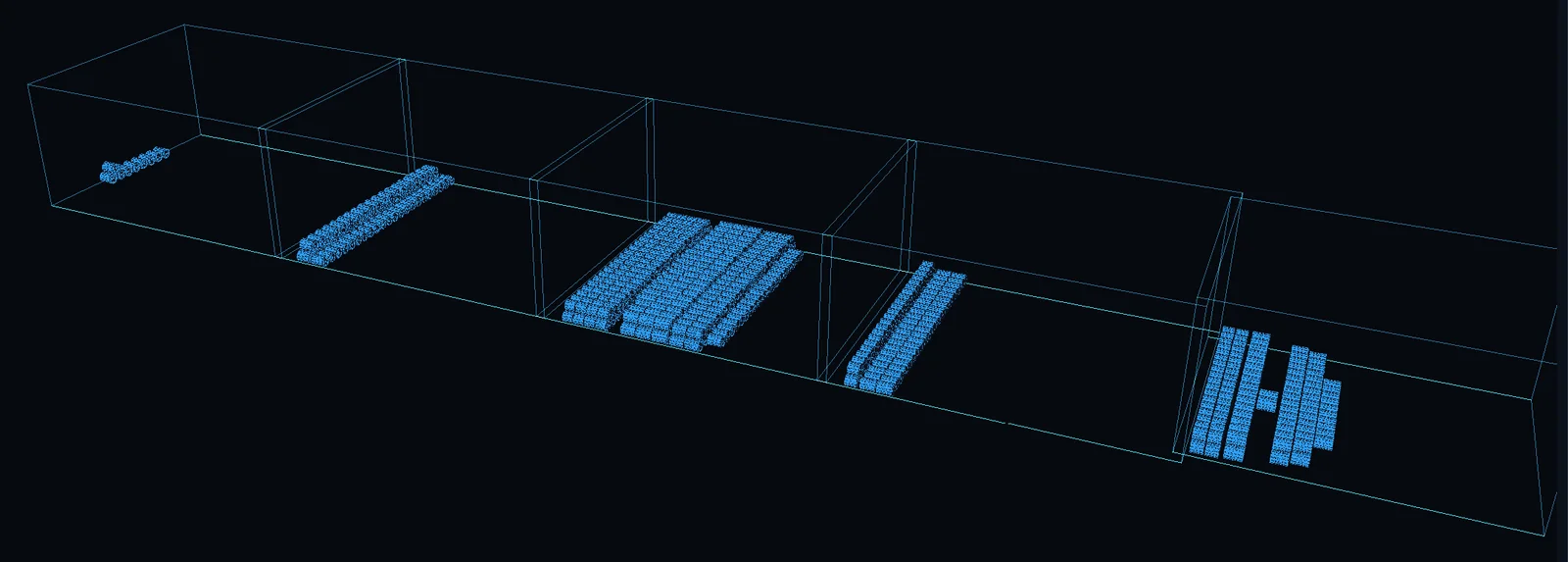
Bagged cargo, tier by tier.
Give the bag size, weight and the shipper's stacking limit. The program fills each hold following its real shape, shares the cargo for the trim you want and checks the condition.
- Hopper, topside, stools, hatch coaming
- Bags per hold and load on the bottom bag
- Hold capacity, tonnage plan or maximum intake
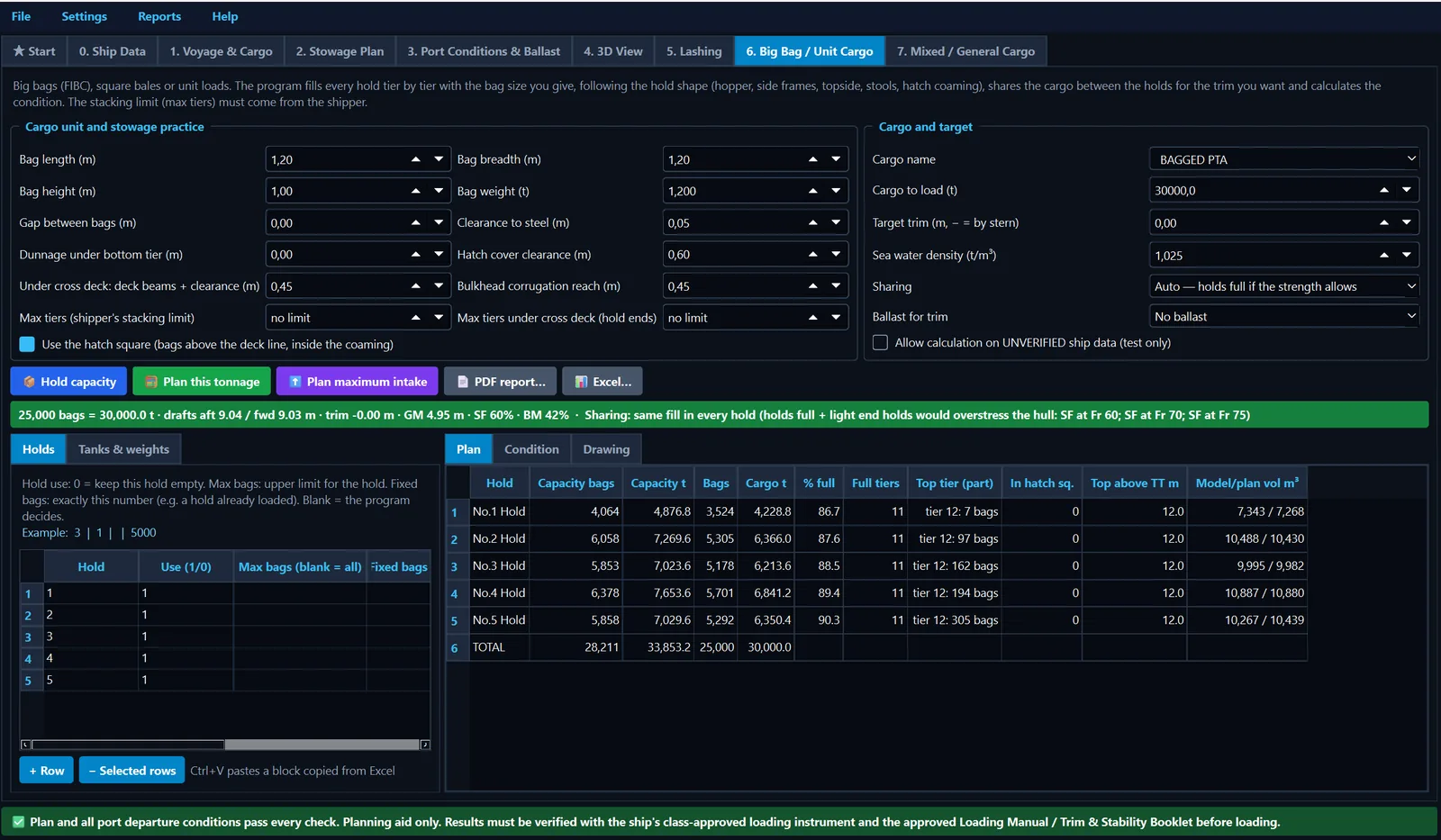
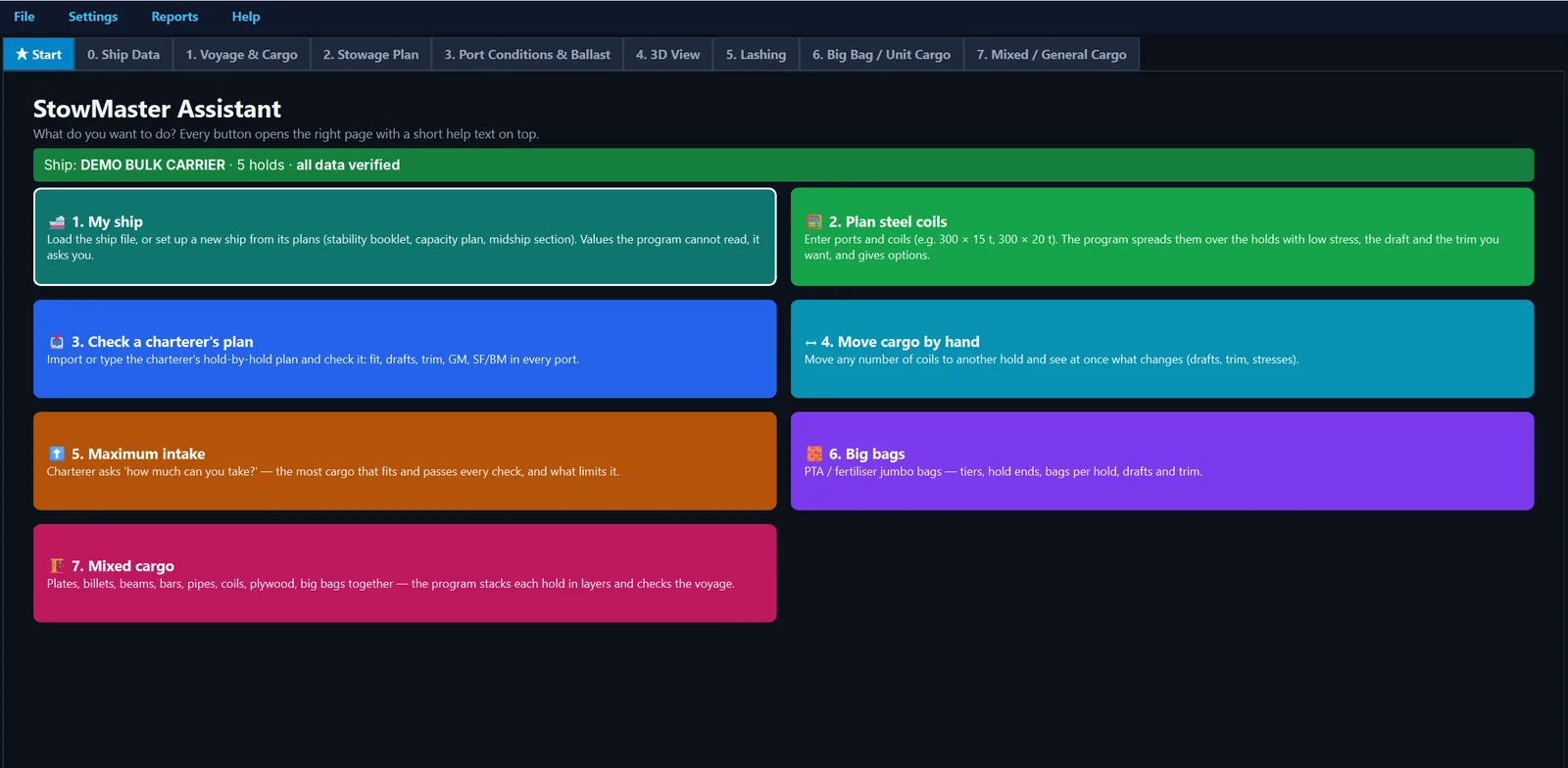
Seven jobs on one screen.
My ship, plan steel coils, check a charterer's plan, move cargo by hand, maximum intake, big bags and mixed cargo. The ship's data status is always shown on top.
AI help for reading and typing
- Scanned tables: reads an image page of hydrostatics, KN or tank tables and turns it into a table.
- Cargo list from text: turns “300 coils of 15 t Lianyungang–Jeddah, 2000 bundles of plywood Aqaba” into the cargo table.
- You connect your own API key – Claude, OpenAI or an OpenAI-compatible service (Gemini, OpenRouter, a local LM Studio / Ollama). No extra cost from us.
AI only helps with reading and data entry – no calculation uses AI. You check and approve everything it reads. Without internet the program works the same; only these two functions are unavailable.
Made for bulk carriers
- Suitable: single-deck bulk carriers with hopper and topside tanks, 3 to 9 holds, conventional hatches – typically Handysize, Supramax and Ultramax.
- Not suitable / not tested: tween-deck and multipurpose ships, open-hatch and box-hold ships, container ships, tankers, ro-ro and heavy-lift ships.
- Not calculated: grain stability, damage stability, bulk cargoes in bulk (grain, ore, coal), liquid cargoes, dangerous goods segregation. The lashing check is a rule of thumb, not a CSS Code calculation.
The ship's approved documents and a careful officer.
Documents (PDF or paper)
- Trim & Stability Booklet – hydrostatics, KN tables, down-flooding angles
- Loading Manual – lightship, Bonjean, permissible SF/BM, tank top strength, hold mass curves, sample conditions
- Tank calibration tables
- For big bags and mixed cargo: Capacity Plan and Midship Section
A responsible officer
The Chief Officer or Master checks every section of the ship data against the documents and marks it verified, and compares the program with the sample conditions of the Loading Manual. Until then the program works in test mode only.
Computer
- Windows 10 or 11 (64-bit)
- 8 GB RAM recommended, about 1 GB free disk
- Screen 1600 × 900 or larger
- No internet needed
Buy once, use it on that ship for good.
Licence per ship, no yearly fee. Prices in US dollars, taxes included. The DEMO ship is always free, and every ship can start with a free 15-day trial.
Licence
- All functions for one ship (IMO)
- Works offline, no yearly fee
- Updates and email support
- You enter the ship data with the set-up assistant
Licence + ship data entry
- Everything in the licence
- We prepare your ship file from its documents
- Ready in about one week
- You check and approve each section
Ship data entry
- For licence holders
- Send the ship's documents as one zip file
- Ship file in about one week
- Hydrostatics, KN, Bonjean, tanks, limits
Try
DEMO ship free, plus a 15-day trial licence for your own ship.
Order
Email us the ship name, IMO number and invoice address. We reply within one business day with the invoice.
Receive the licence
After payment we email the licence file for the ship's IMO number. Open it under Help → Licence.
Ship data
Enter it yourself with the assistant – or send the documents as one zip and get the ship file in about a week.
By ordering you accept the StowMaster Assistant licence agreement, the terms of sale and the refund policy.
Common questions
Is it class-approved? Can it replace our loadicator?
No. StowMaster Assistant is a planning aid. It is not a loading instrument and not approved by any class or flag State. It helps you prepare and compare plans; the final check is always made with the ship's approved loading instrument and documents.
Does it need the internet?
No. The program and the licence work fully offline. Only the optional AI functions need a connection.
Who enters the ship data?
You can do it yourself with the set-up assistant, or send us the ship's documents as one zip file and we prepare the ship file for you (US$ 99, about one week after we receive complete documents). Either way, a responsible officer checks and approves every section before the program is used for real planning.
Can I try it first?
Yes. The DEMO ship is always free. For your own ship we send a free 15-day trial licence.
How is the licence delivered?
The licence is a small file bound to the ship's IMO number. We email it within one business day after payment; you open it in the program under Help → Licence. No internet activation is needed.
Does it work for my ship?
It is made for single-deck bulk carriers with hopper and topside tanks and 3 to 9 holds – typically Handysize, Supramax and Ultramax. Tween-deck, open-hatch and box-hold ships are not supported. Send us the ship type and number of holds if you are not sure.
Several ships?
Fleet licences are available. Write to sales@doxoreli.com.
Try StowMaster Assistant on your next coil cargo
Developed by Master Mariner Y. Aksu. DEMO ship free, 15-day trial for your ship.